![1-RM.png]](https://resources.ripplematch.com/hs-fs/hubfs/1-RM.png?height=50&name=1-RM.png)
Navigate to the Events page then select the event that you are checking attendees into.
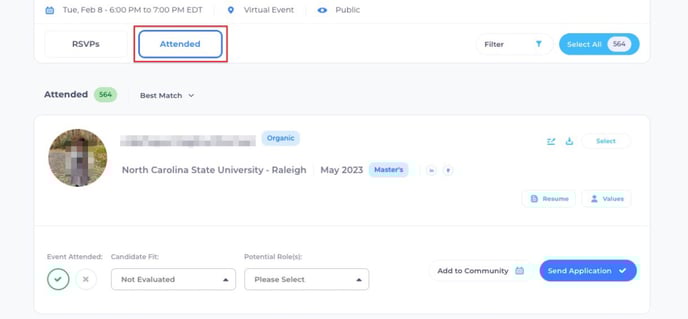
Once a candidate checks into an event, they will appear in your "Attended" section in real time. In this section you can do the following actions on the candidate card:
-
Evaluate candidate fit
-
Take notes on the candidate
-
Send the candidate an email
-
Send an application for the potential role(s)
-
Invite to Interview
-
View candidate's resumes if they are a RippleMatch user
-
Add candidate to a Community (only applicable to customers with Communities functionality on RippleMatch)